Local-First Mistake Review App

Turn wrong answers into a private review notebook

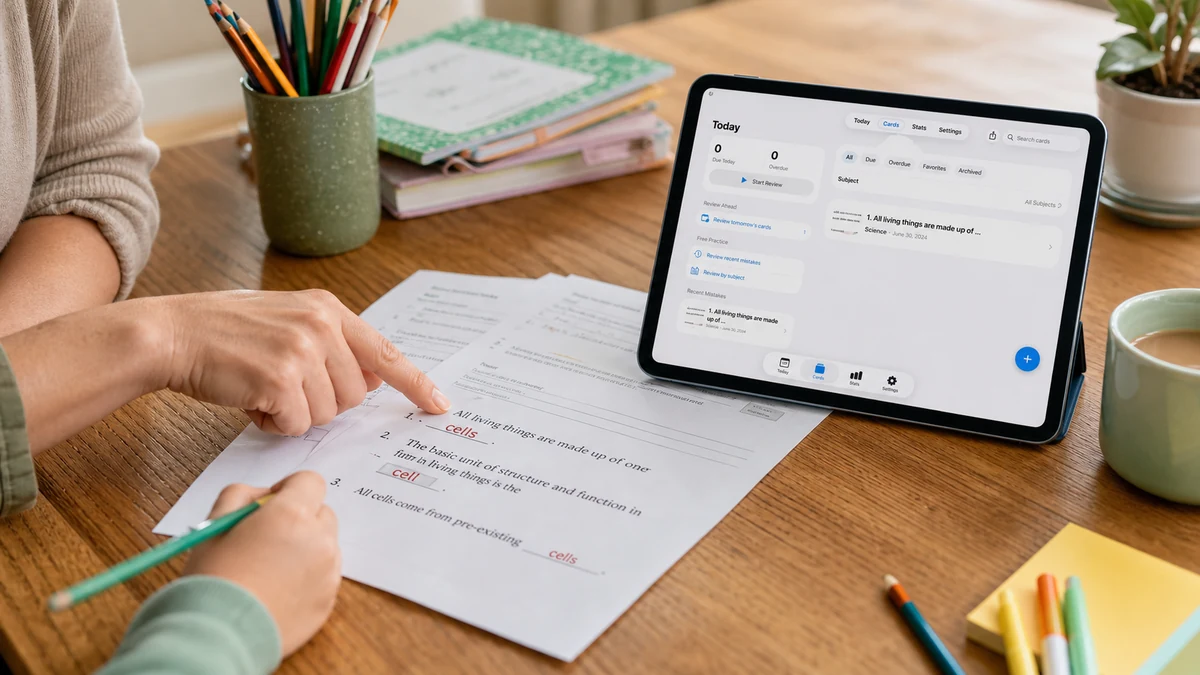
Capture your mistakes from photos or text. Hide the answers, redo every question from scratch, review on a spaced schedule, and print clean practice sheets before your exam. No account needed — all data stays on your device.

Free for up to 40 cards. Pro unlocks unlimited cards, advanced PDF exports, and local backup.

A mistake review workflow that actually works

Four steps that take you from a pile of wrong answers to a confident review session.

Capture your mistake review cards in seconds

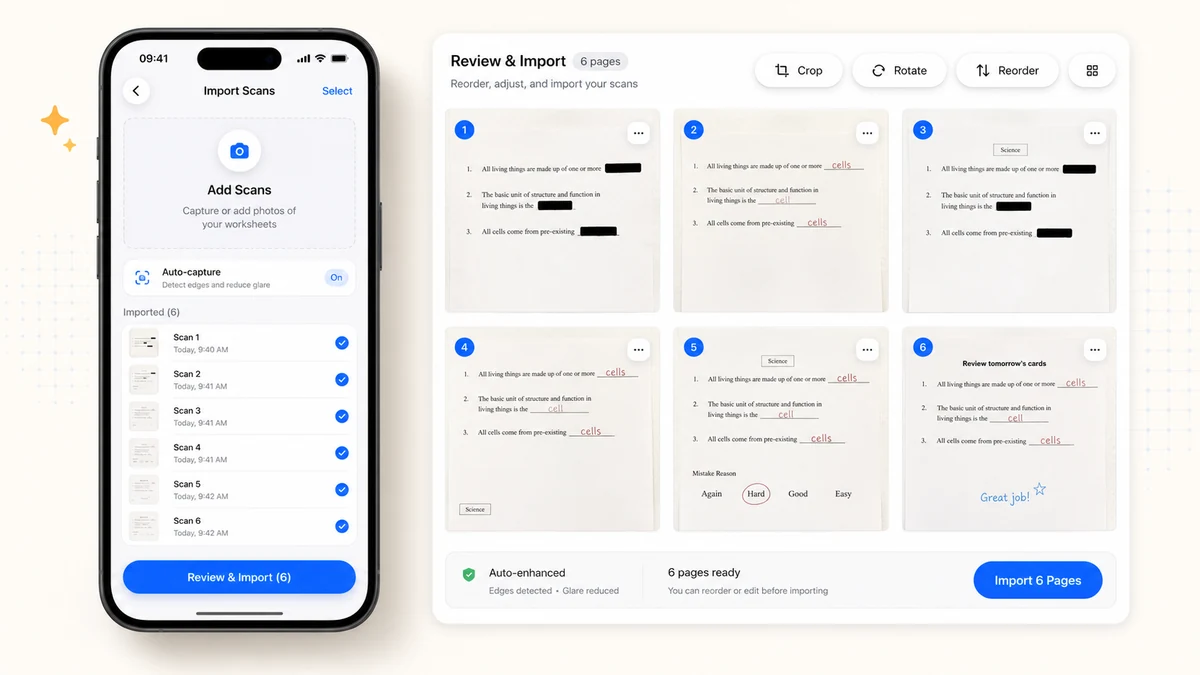
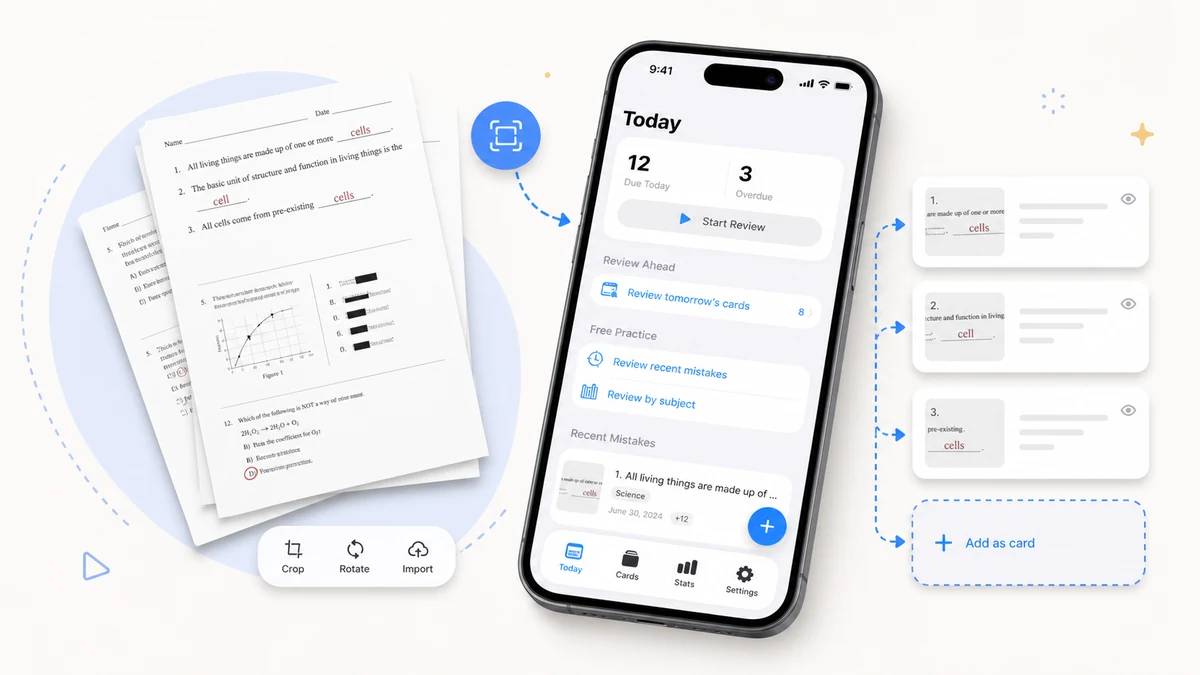
Scan worksheets or import photos from your camera roll. Mistake Review supports batch import of up to 30 images at once, with rotate, crop, and reorder tools built in. You can also create text-only cards for any subject.

Scanning a worksheet to create mistake review cards

Mask the answer — redo the mistake review for real

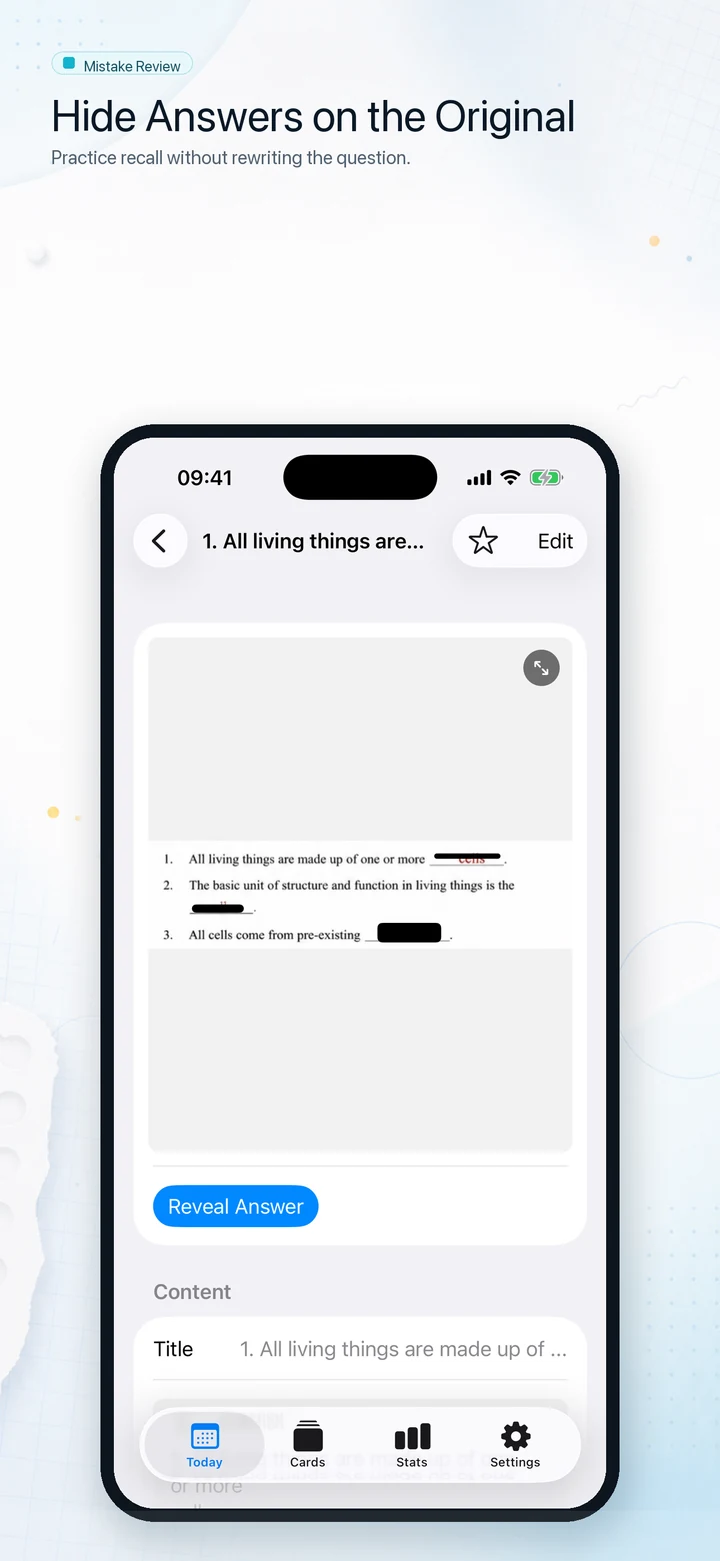
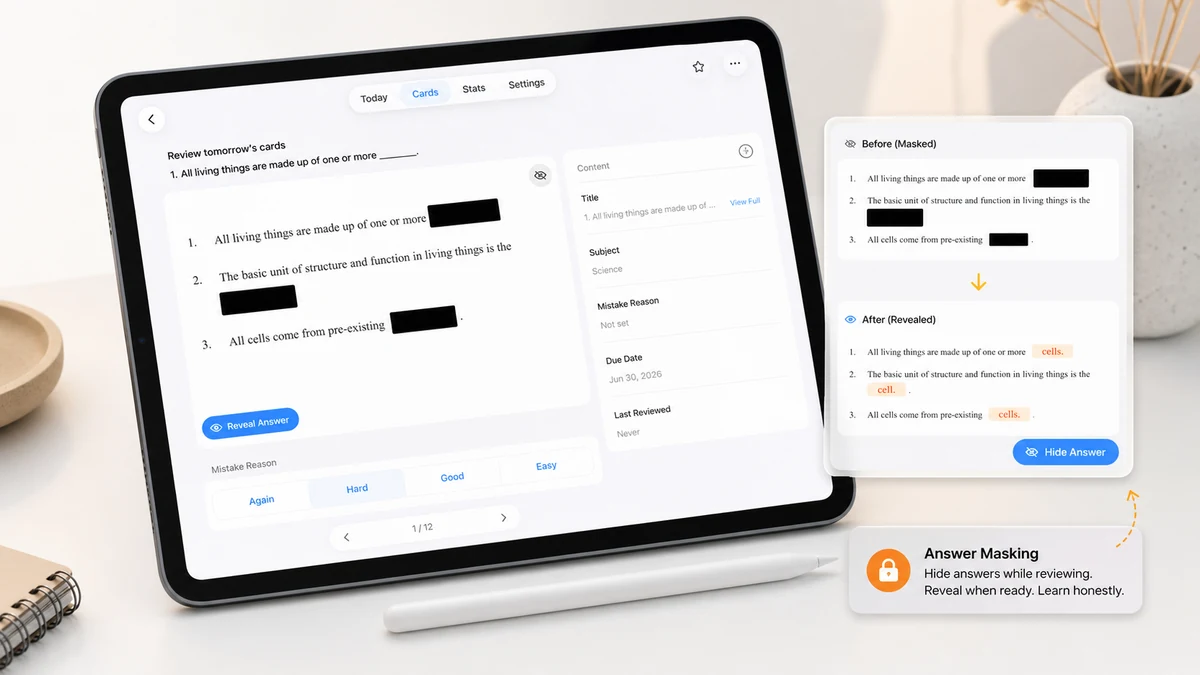
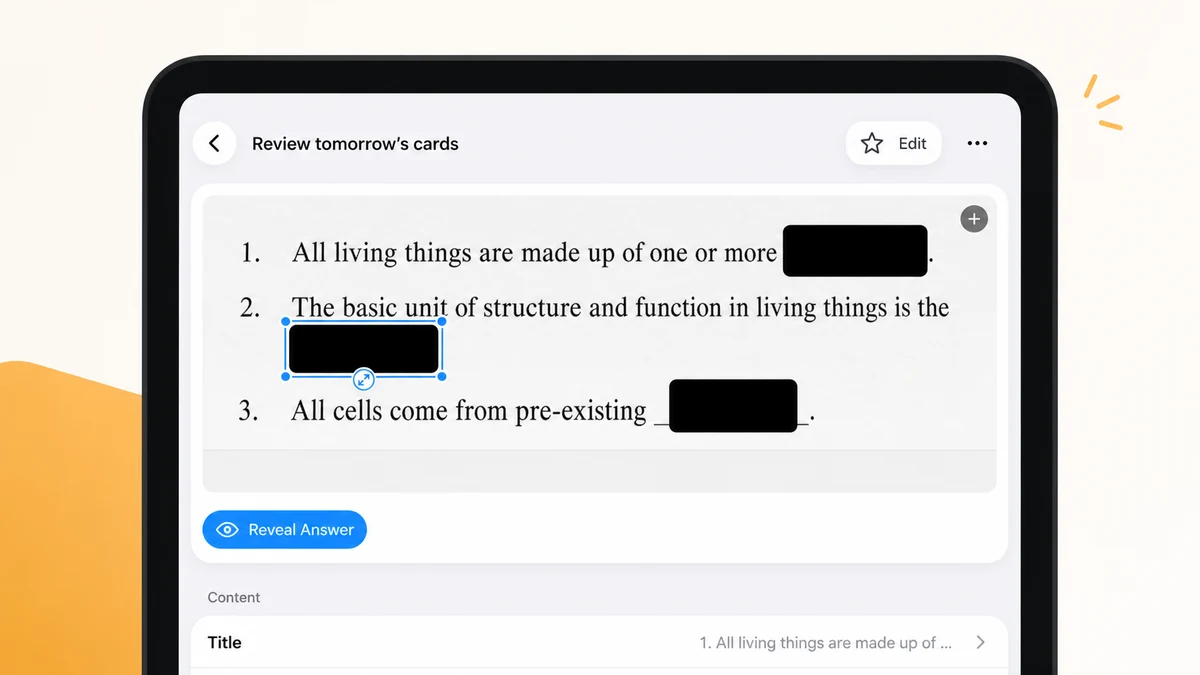
Drag answer masks over any part of the image. During mistake review sessions, you only see the question first. Tap Reveal to check the answer and explanation. Every session is a genuine redo, not a passive re-read.

Dragging an answer mask over a wrong answer during mistake review

How Mistake Review fits your study routine

A simple, repeatable process from wrong answer to confident recall.

01

Step 1: Capture every mistake review card

After a test or homework session, scan or photograph your wrong answers. Add a title, subject, exam tag, and mistake reason to keep your mistake review collection organized.

  • Import up to 30 images at once
  • On-device OCR fills in question text automatically
Start capturing
02

Step 2: Add answer masks for honest mistake review

Draw masks over the answers on each card. One tap adds a default bottom mask for typical answer layouts. You can resize and reposition any mask.

All mask data is stored locally on your device.

Adding an answer mask to a mistake review card
03

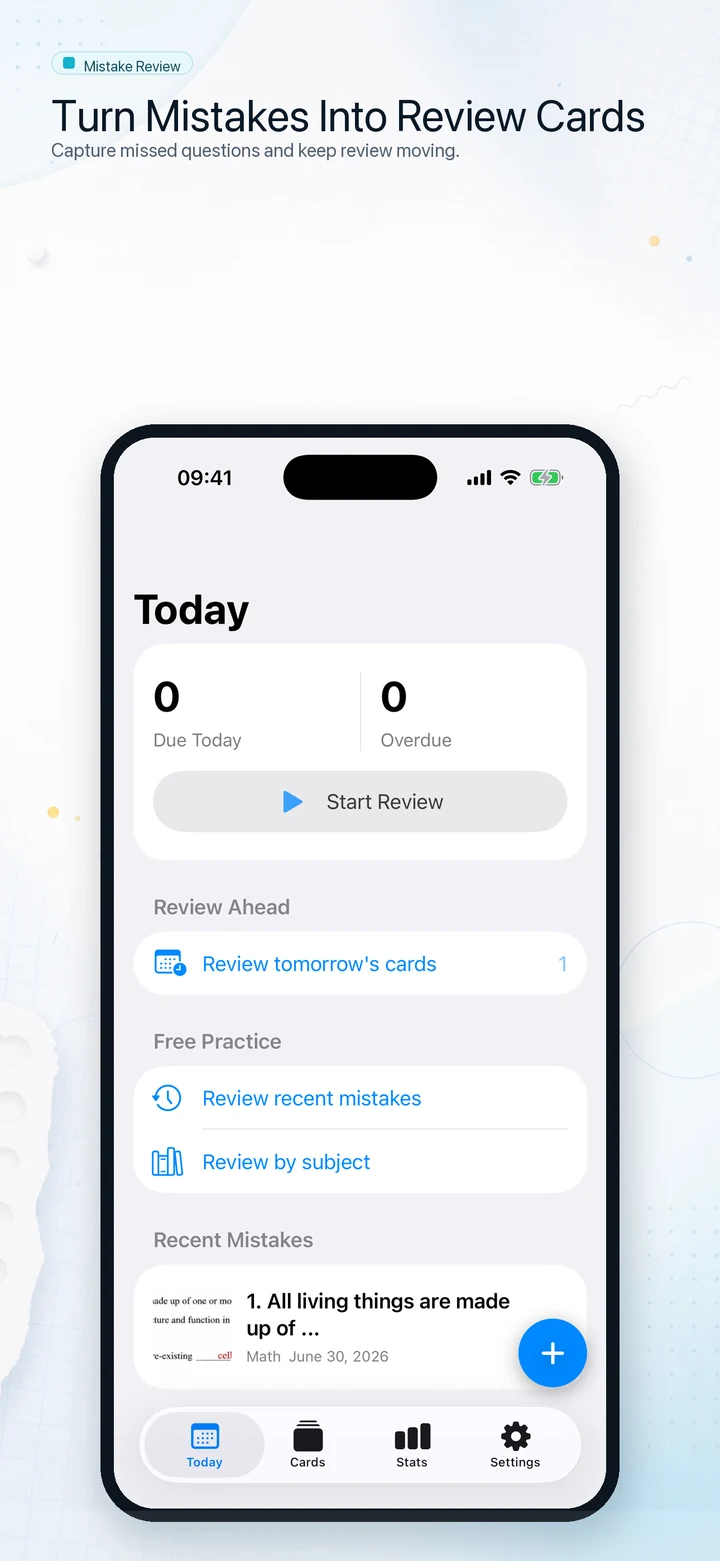
Step 3: Review on schedule — spaced mistake review

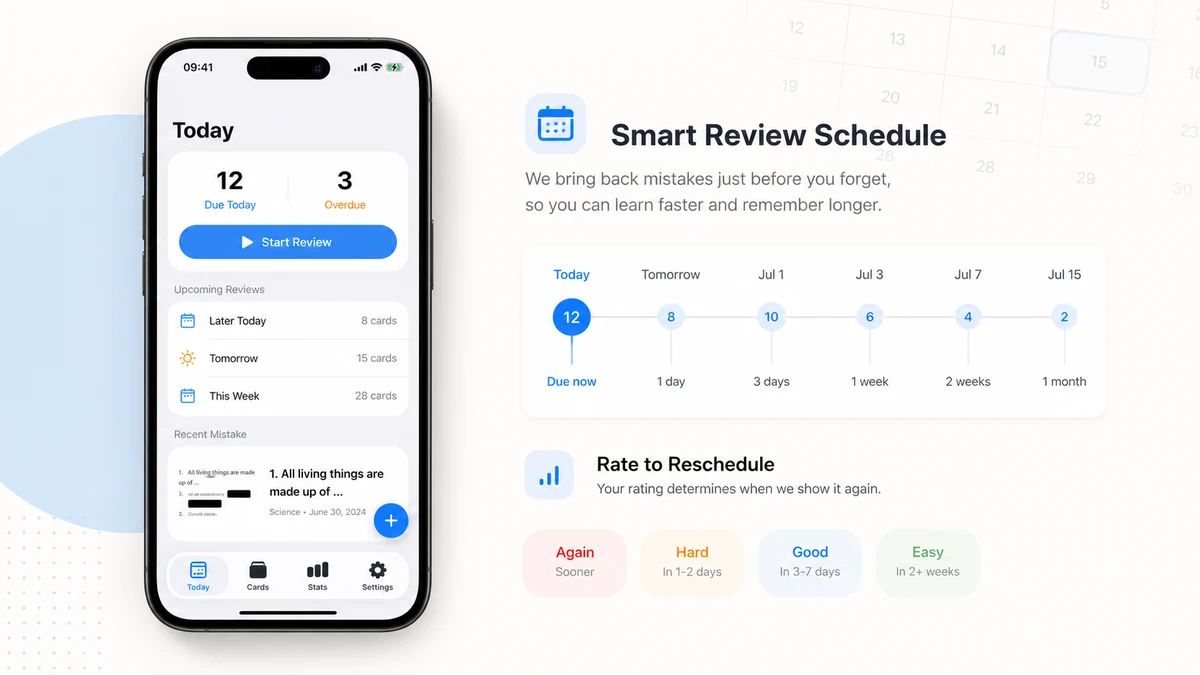
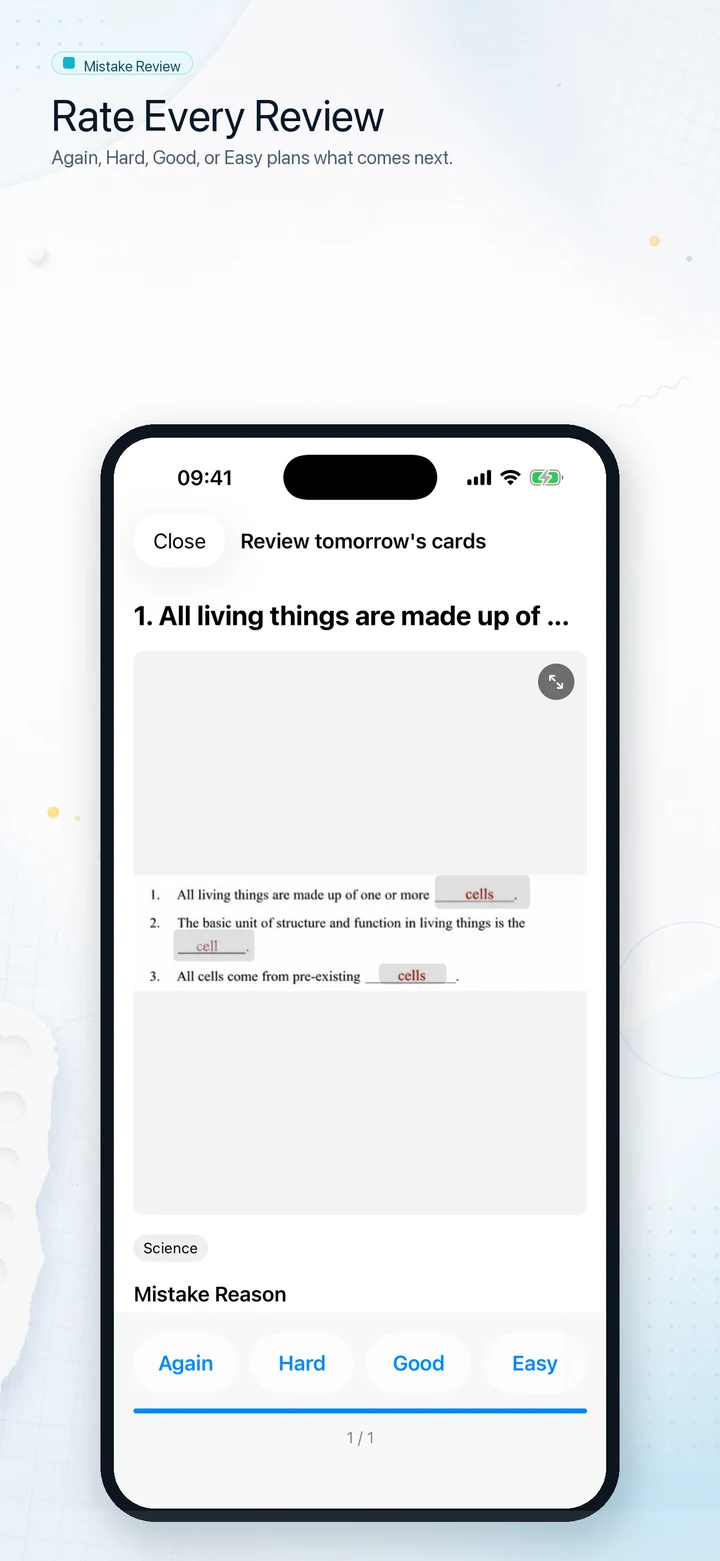
The Today tab shows which mistake review cards are due. After each card, rate yourself Again, Hard, Good, or Easy. The app schedules the next mistake review automatically using a spaced repetition algorithm.

You can also cram by subject, tag, or exam — without disrupting the review schedule.

See FAQ

Everything a mistake review notebook needs

Built for students, exam candidates, and parents who want a private, focused tool.

Fast mistake review capture

Scan, import, rotate, and crop. Batch-import a full test paper in under a minute. On-device OCR extracts question text automatically.

Fast mistake review card capture
Learn more

Answer masking for genuine review

Cover any part of the image with a resizable mask. Reveal answers only when you are ready to check, so every mistake review is a true redo.

Answer masking for mistake review
Learn more

Spaced mistake review schedule

SM2-style scheduling keeps due cards in front of you at the right time. Rate Again, Hard, Good, or Easy after each mistake review to adjust future intervals.

Spaced repetition mistake review schedule
Learn more

Print practice sheets before exams

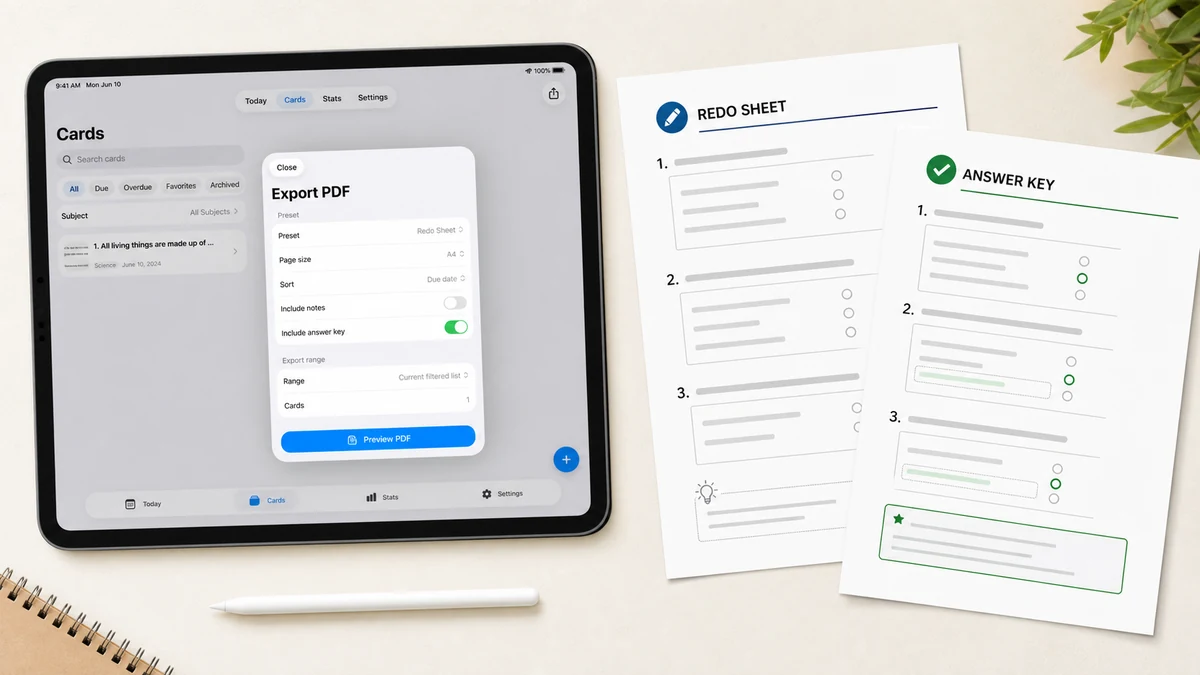
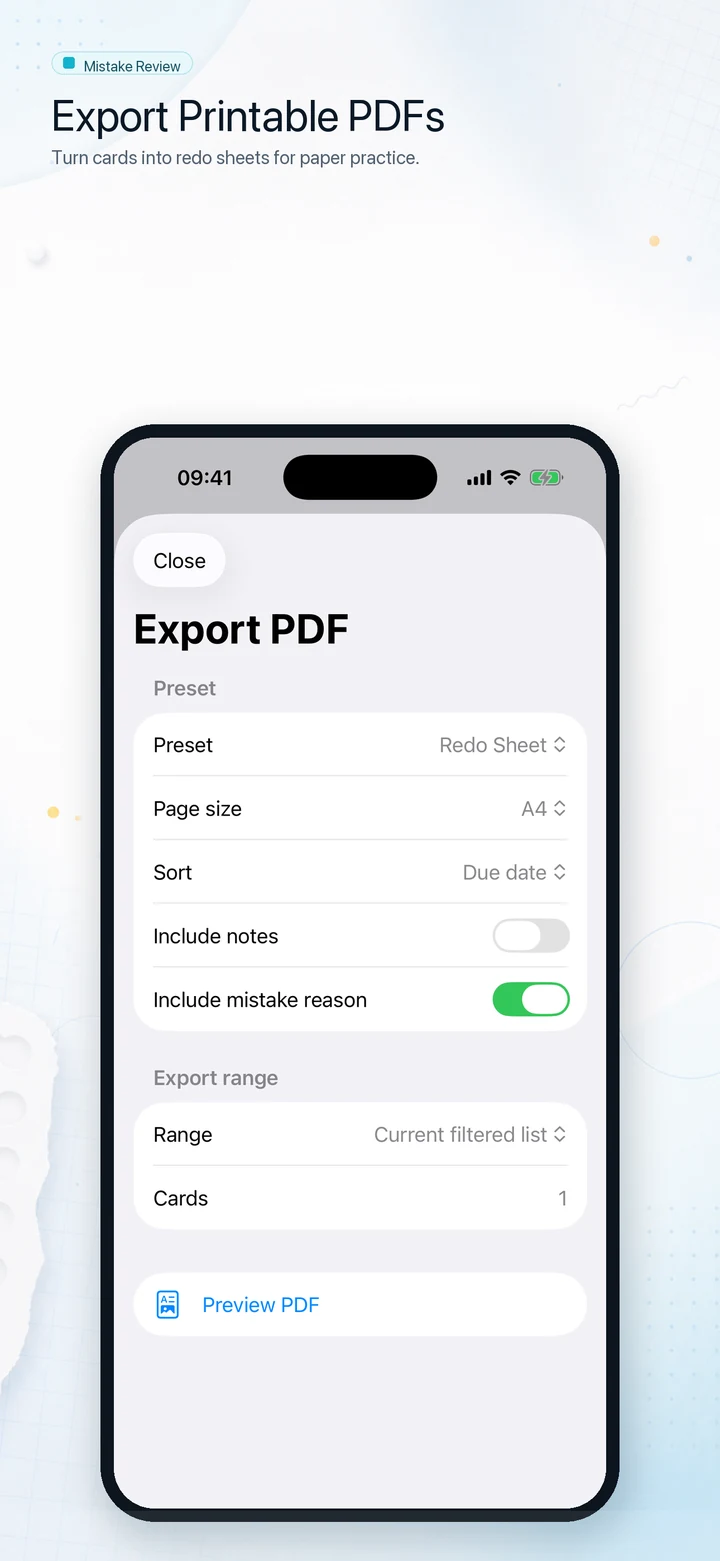
Export a Redo Sheet, Answer Key, or Review Packet as a PDF. Choose A4 or Letter, filter by subject or exam, and print in under 30 seconds.

Exporting a mistake review PDF practice sheet
Learn more

Fully private and local

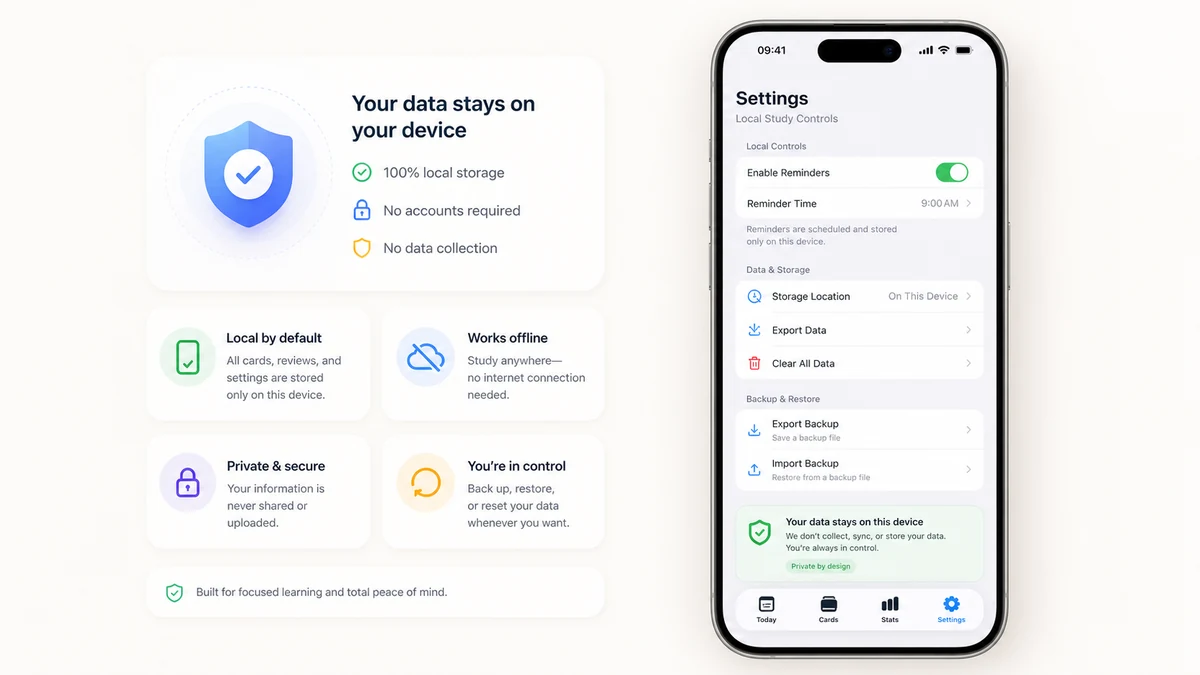
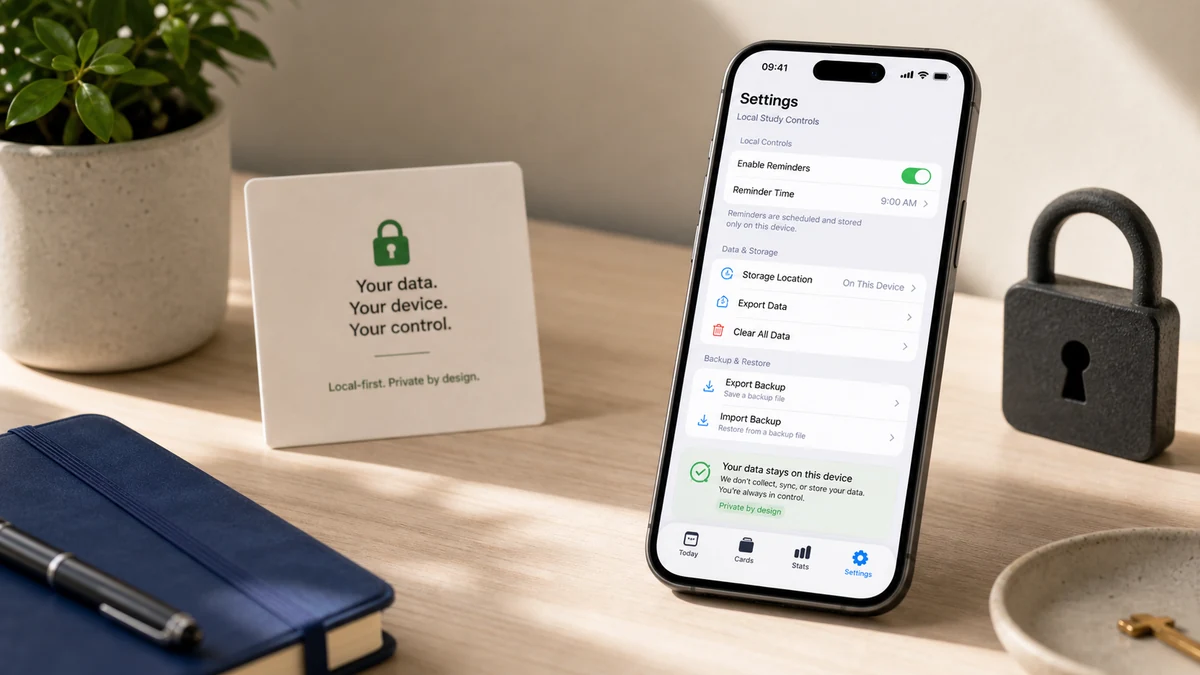
No account, no cloud uploads. Your mistake review cards, images, OCR text, and review history stay on your device. Privacy is the default, not a toggle.

Local-first privacy for mistake review
Learn more

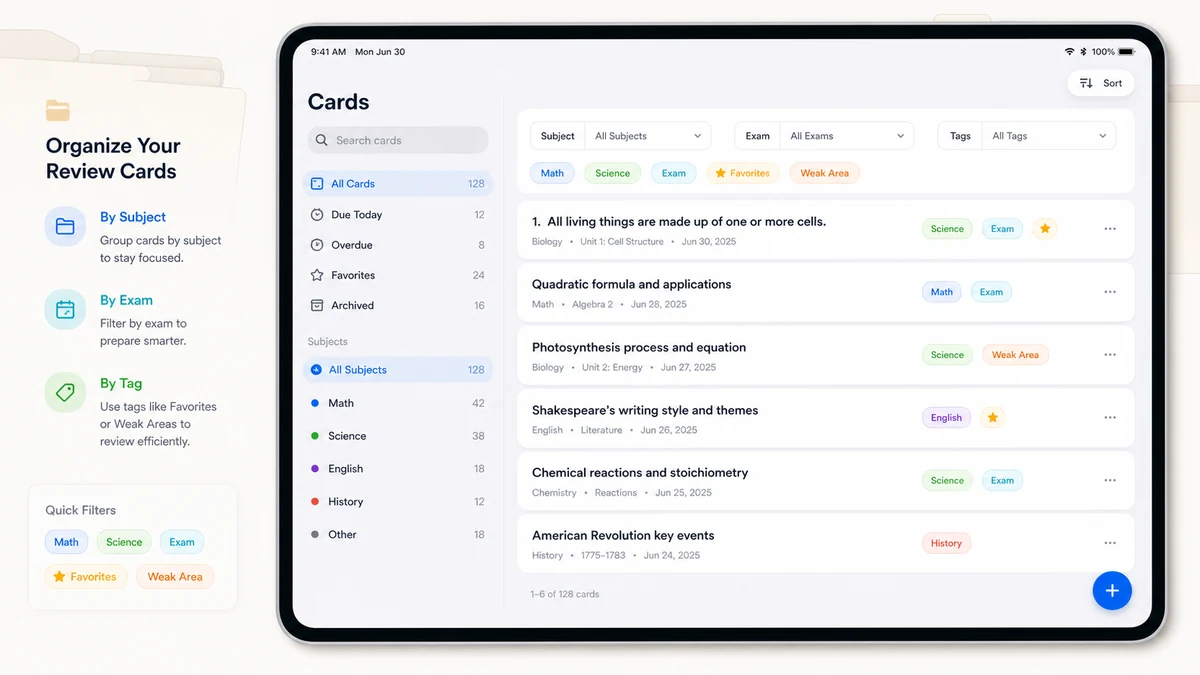
Organize by subject, exam, and tag

Group mistake review cards by subject, exam date, mistake reason, or custom tags. Filter and search your entire collection instantly.

Organizing mistake review cards by subject and tag
Learn more

See the real app screens

A quick look at capture, answer masks, review ratings, PDF export, and progress tracking on iPhone.

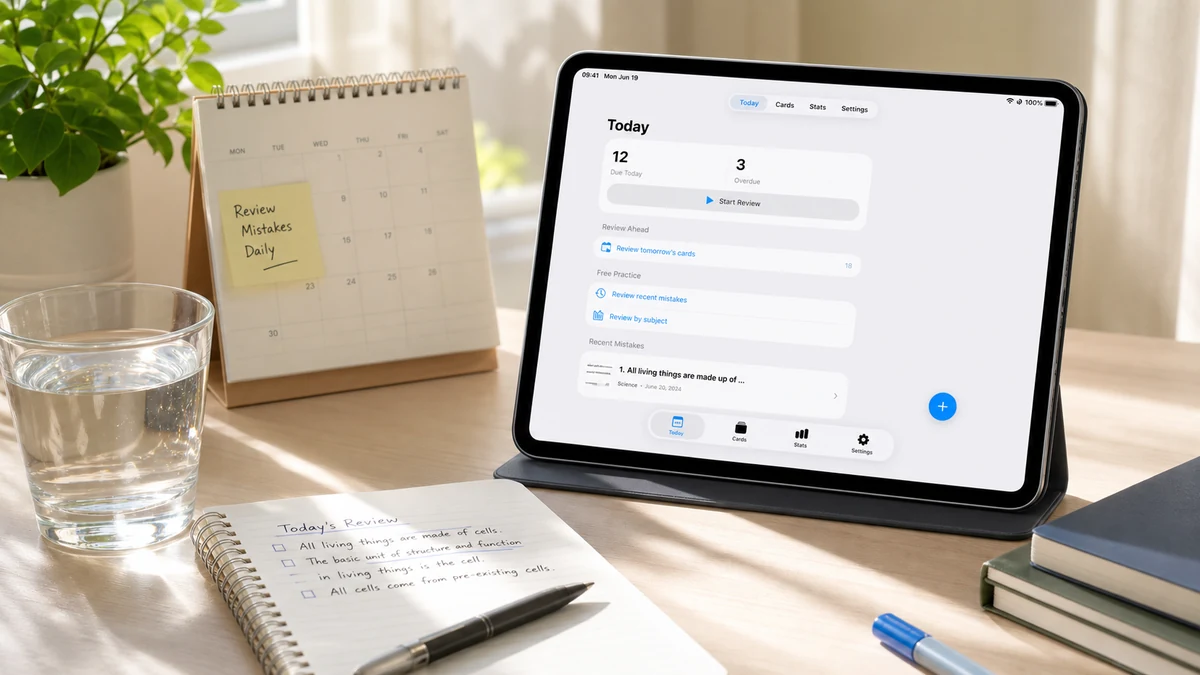
Mistake Review Today screen showing due cards and recent mistakes

Review cards

Mistake Review card detail screen with answers hidden by masks

Answer masks

Mistake Review session screen with Again, Hard, Good, and Easy ratings

Review ratings

Mistake Review PDF export screen for printable practice sheets

PDF export

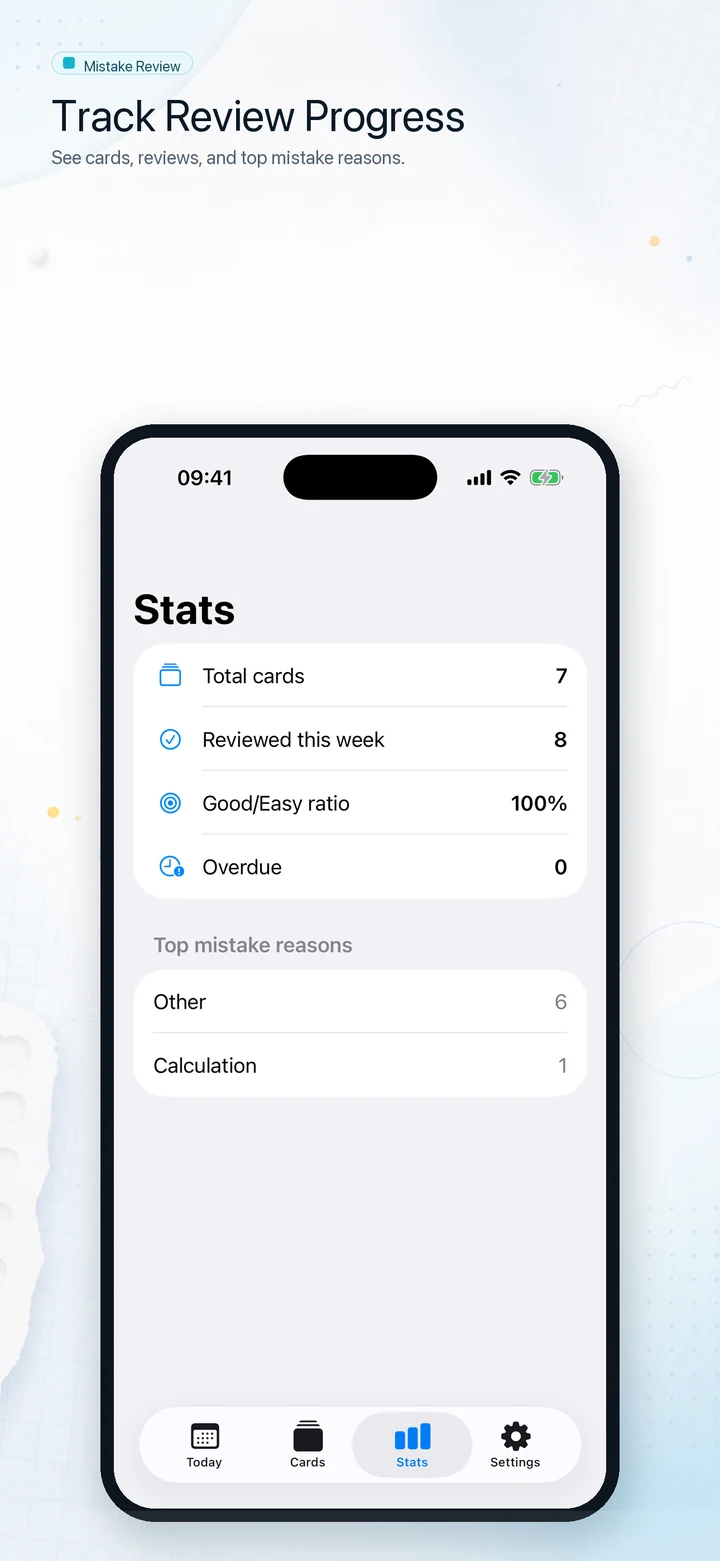
Mistake Review stats screen showing review progress

Progress

Who uses Mistake Review

Anyone who learns best by revisiting and redoing their own mistakes.

Exam candidates

SAT, ACT, MCAT, LSAT, AP, IELTS, TOEFL, CPA — build a private wrong-answer journal and print a targeted Redo Sheet the night before your exam.

Most popular
Mistake review for exam candidates
See how it works

Self-driven students

Keep a running mistake review notebook from homework, quizzes, and tests. Review due cards each morning without relying on a teacher or tutor.

Daily habit
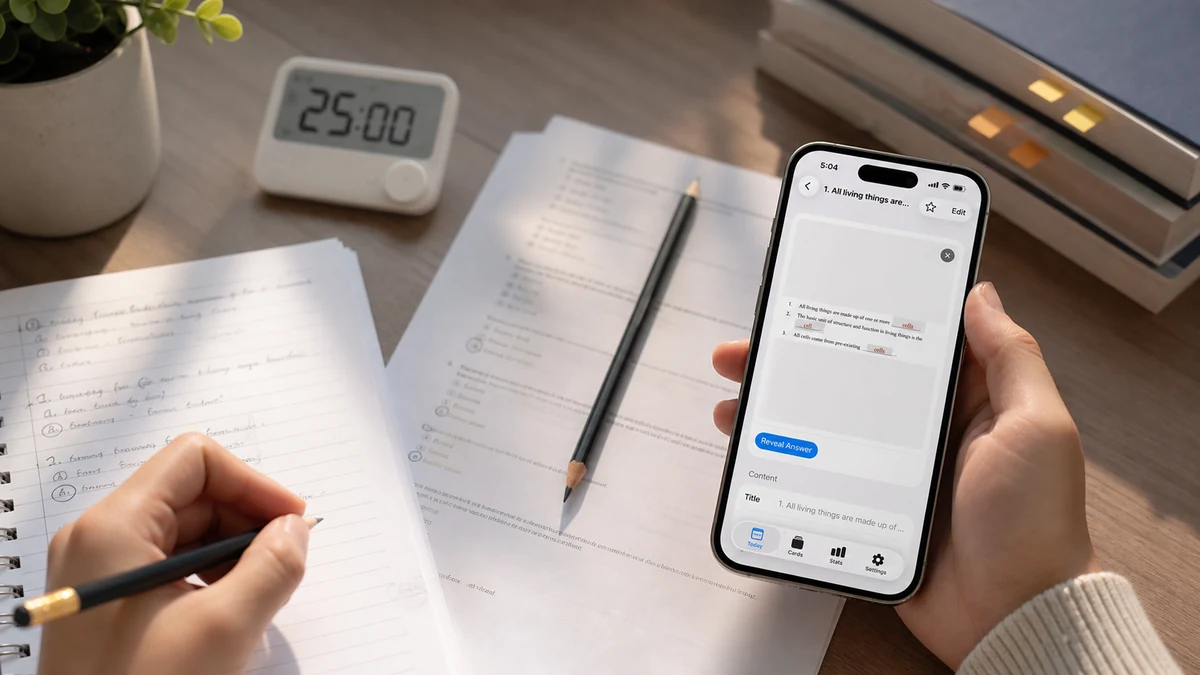
Student using Mistake Review for daily study
Start reviewing

Parents helping kids

Photograph your child's wrong answers from school tests. Organize by subject, schedule weekly mistake review sessions, and print practice sheets without any account or subscription.

Privacy-first
Parent setting up mistake review for their child
Get started free

Privacy-conscious learners

Your exam material, study notes, and wrong answers are sensitive. Mistake Review never uploads your data. On-device OCR keeps every scan private.

No account needed
Private local mistake review with no cloud upload
Read our privacy approach

Simple Mistake Review pricing

Start free. Upgrade when you're ready for unlimited mistake review cards.

Free

$0

Everything you need to start a mistake review habit.

  • Up to 40 mistake review cards
  • Full spaced repetition schedule
  • Answer masking & Reveal
  • Basic Redo Sheet PDF export
  • On-device OCR
  • Organize by subject & tag
  • No account required

Pro

Best value: Lifetime

$2.99/month

$19.99/year

$49.99 one-time

For serious exam prep and long-term learners.

  • Everything in Free
  • Unlimited mistake review cards
  • Advanced PDF: Answer Key, Review Packet, Mistake Report
  • Local backup & restore
  • Priority support

Privacy Policy · Terms of Service

What learners say about Mistake Review

Real experiences from students and exam candidates who use Mistake Review daily.

"I scan my practice test pages right after grading, add masks to the answer choices, and review the hardest ones each morning. Mistake Review turned my wrong answers into the most useful study material I have."

Sarah K.

Sarah K.

MCAT candidate

"My daughter was throwing away her graded tests. Now we photograph them the same evening, tag by subject, and print a redo sheet every Sunday. Her math scores have improved noticeably."

James T.

James T.

High school parent

Frequently asked questions about Mistake Review

Common questions from students and parents getting started with mistake review.

Does Mistake Review upload my cards or images to a server?

No. All mistake review cards, images, OCR text, masks, and review history are stored only on your device. Mistake Review has no official question bank and no shared content. RevenueCat is used only to verify purchases and never receives your study material.

How does the spaced repetition schedule work in Mistake Review?

Mistake Review uses an SM2-style algorithm. After each mistake review, you rate the card Again, Hard, Good, or Easy. The app calculates the next due date based on your rating and the card's history. Cards you find hard come back sooner; cards you know well are spaced further apart.

Can I print my mistake review cards as a PDF?

Yes. You can export a Redo Sheet (answers hidden), an Answer Key (answers shown), or a Review Packet (both combined). Choose A4 or Letter paper size and filter by subject, exam, tag, or favorites. PDF export is available on the free plan for basic redo sheets; advanced presets are a Pro feature.

What is the difference between the free plan and Mistake Review Pro?

The free plan lets you create up to 40 mistake review cards, run full review sessions, add answer masks, and export a basic redo sheet PDF. Pro unlocks unlimited cards, advanced PDF presets (Answer Key, Review Packet), and local backup and restore.

Can I use Mistake Review without a camera or scanner?

Yes. You can create text-only mistake review cards for any subject. Type the question, answer, explanation, and notes directly without attaching an image.

Does Mistake Review work offline?

Yes. All core mistake review features — creating cards, reviewing, masking, and exporting PDF — work completely offline. An internet connection is only needed to verify Pro purchases.

Start your mistake review habit today

Capture your first wrong answers in under two minutes.

Free for up to 40 cards — no account, no uploads, no subscriptions required to get started.

Available for iPhone and iPad. Free to start. Pro unlocks unlimited mistake review cards and advanced PDF exports.